
Shizatong · Illustrated scam prevention
Illustrated library 01–50

50 topics. Understand the scam chain.

Explore 20 core diagrams and 30 scenario illustrations. Browse by topic, then expand the steps, warning signs and safe actions.

Images are teaching illustrations. Captions are provided in six languages. The 30 scenario illustrations contain no embedded text; existing core artwork is retained.

Find illustrations by situation

Scam industry roles

Transactions and gifts

Identity and trust

Notifications and phishing

Jobs and investments

Privacy and support

Withdrawal fees: do not pay new money to recover old money. Taxes, unlocking fees and deposits can become excuses for repeated payments.
Core diagram 13

Withdrawal fees: do not pay new money to recover old money

Taxes, unlocking fees and deposits can become excuses for repeated payments.

Expand the four stages and response
  1. Apparent profits: The platform displays a rising balance.
  2. Requesting a withdrawal: Your attempt to retrieve funds is blocked.
  3. New charges: Additional tax or unlocking fees are demanded.
  4. Repeated payments: Even after paying, you still cannot withdraw.

Key warning: A promise of a refund after one more payment is not a recovery guarantee.

Break the chain: Stop paying. Save wallet addresses, transaction IDs and conversations.

Official sources and scopeCriminal Investigation Bureau · fake online shopping and prevention

Source checked: 2026-10-02. The image is an educational illustration, not official certification. Roles and sequence vary by case. Website text is an editorial summary; citing a source does not imply official endorsement of every visual detail.


Phishing links: a login page can steal your account. A familiar design may be hosted on an unfamiliar domain.
Core diagram 14

Phishing links: a login page can steal your account

A familiar design may be hosted on an unfamiliar domain.

Expand the four stages and response
  1. Fake notification: A message mentions a parcel, unpaid bill or account problem.
  2. Clicking a link: It leads to a counterfeit login or payment page.
  3. Entering secrets: Passwords, card numbers or one-time passwords are entered.
  4. Account misuse: The information may be used for unauthorised payments or account takeover.

Key warning: HTTPS and a padlock do not establish a website’s identity.

Break the chain: Open the official app yourself. Do not enter verification codes through unfamiliar links.

Official sources and scopeCriminal Investigation Bureau · fake online shopping and prevention

Source checked: 2026-10-02. The image is an educational illustration, not official certification. Roles and sequence vary by case. Website text is an editorial summary; citing a source does not imply official endorsement of every visual detail.
Fake buyer and fake support: verification outside the platform. If selling something leads to online-banking instructions, stop.
Core diagram 15

Fake buyer and fake support: verification outside the platform

If selling something leads to online-banking instructions, stop.

Expand the four stages and response
  1. Buyer contact: A buyer claims an order cannot be placed or payments are not enabled.
  2. Fake support: You are told to add a private LINE account for help.
  3. ‘Verification’ instructions: They give instructions for online banking, an ATM or a payment code.
  4. Financial loss: You authorise a transaction or disclose sensitive information.

Key warning: A store screenshot is not enough to trust a stranger requesting financial actions.

Break the chain: Check with official support on the original platform. Do not transfer money on the caller’s instructions.

Official sources and scopeCriminal Investigation Bureau · fake online shopping and prevention

Source checked: 2026-10-02. The image is an educational illustration, not official certification. Roles and sequence vary by case. Website text is an editorial summary; citing a source does not imply official endorsement of every visual detail.

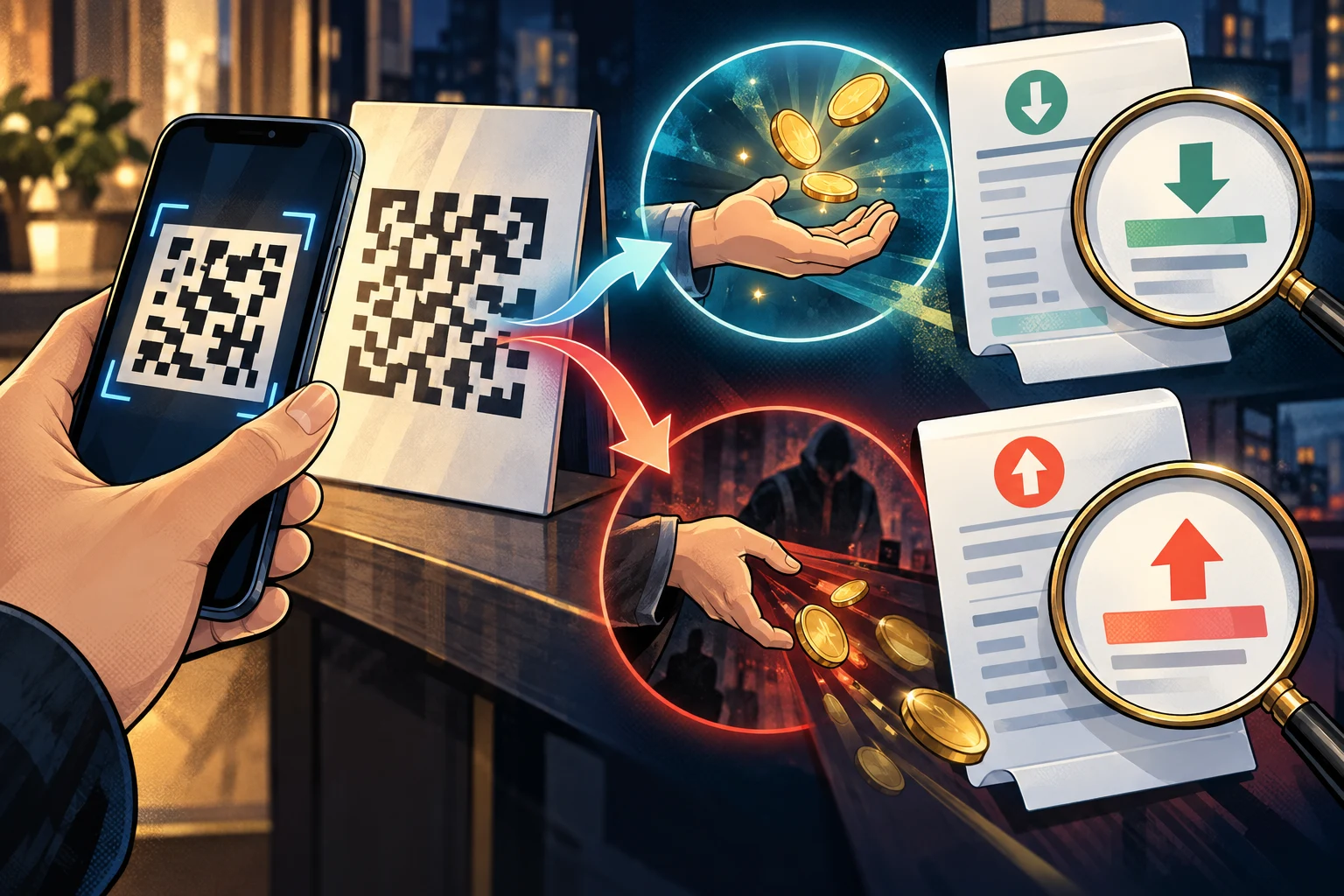
QR codes: check what you are authorising. An apparent payment receipt or check may actually authorise a payment or withdrawal.
Core diagram 16

QR codes: check what you are authorising

An apparent payment receipt or check may actually authorise a payment or withdrawal.

Expand the four stages and response
  1. Receiving a code: A stranger sends a QR code or screenshot.
  2. A false purpose: They claim it receives money, verifies identity or removes a restriction.
  3. Authorising action: You are asked to enter an amount, password or confirmation.
  4. Completing a transaction: The action may actually authorise a payment or cash withdrawal.

Key warning: Scanning a code does not verify the other party or the purpose.

Break the chain: Read the recipient, amount and authorisation on the official screen before deciding.

Official sources and scopeCriminal Investigation Bureau · fake online shopping and prevention

Source checked: 2026-10-02. The image is an educational illustration, not official certification. Roles and sequence vary by case. Website text is an editorial summary; citing a source does not imply official endorsement of every visual detail.